HTML Elements
Bligh Morgan
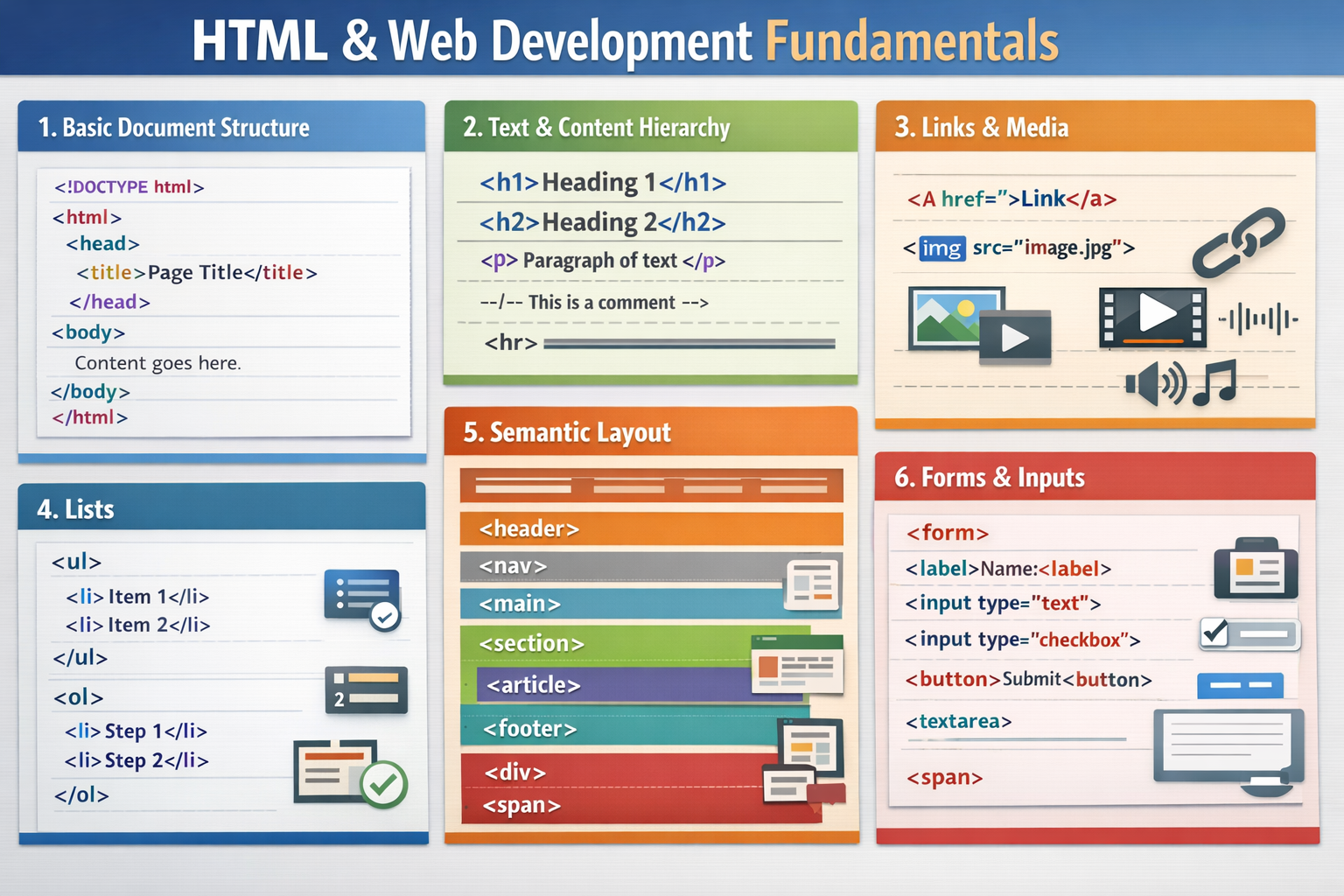
- <!DOCTYPE html>
- The mandatory declaration that tells the browser the document is using HTML5.
- <html>
- The root element that wraps all other content on the page.
- <head>
- A container for metadata, such as the page title and links to CSS, which is not visible to users.
- <title>
- Sets the text displayed in the browser tab.
- <body>
- Contains all visible content of the webpage, like text and images.
- <h1> to <h6>
- Heading levels where <h1> is the most important (main title) and <h6> is the least.
- <p>
- Defines a paragraph of text.
- <br>
- Inserts a single line break without starting a new paragraph.
- <hr>
- Creates a horizontal line to separate thematic sections.
- <!-- ... -->
- Used for writing comments that are invisible to the browser.
- <a>
- The anchor tag used to create hyperlinks to other pages or files.
- <img>
- Embeds an image into the document.
- <video>
- Embeds a media player for video content.
- <audio>
- Embeds sound content like music or podcasts.
- <ul>
- Creates an unordered (bulleted) list.
- <ol>
- Creates an ordered (numbered) list.
- <li>
- Defines an individual item within any type of list.
- <header>
- Represents introductory content or top-level navigation.
- <nav>
- Specifically for a set of navigation links.
- <main>
- Wraps the unique, primary content of the body.
- <section>
- Groups related content together.
- <article>
- For self-contained content, like a blog post or news story.
- <footer>
- Contains information like copyright, contact info, or sitemaps.
- <div>
- A generic block-level container often used for layout and CSS styling.
- <span>
- A generic inline container used for styling small portions of text.
- <form>
- The parent container for all interactive form elements.
- <label>
- Provides a descriptive name for a specific input.
- <input>
- The most common way to get user data (e.g., text, checkboxes).
- <button>
- Creates a clickable button to trigger actions.
- <textarea>
- A multi-line text input for longer messages.